ADG stands for Active Data Guard use to recovery from the Disaster known as Disaster Recovery and ensures the High Availability for the Data.

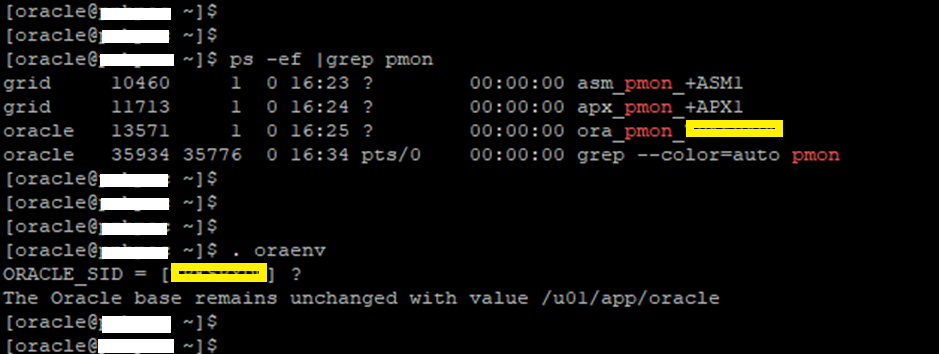
First, we checks the Databases running or not as below snaps
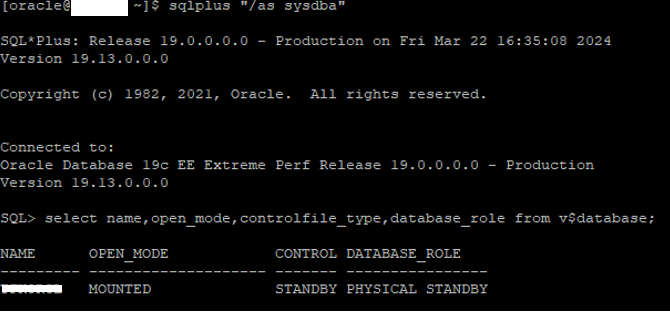
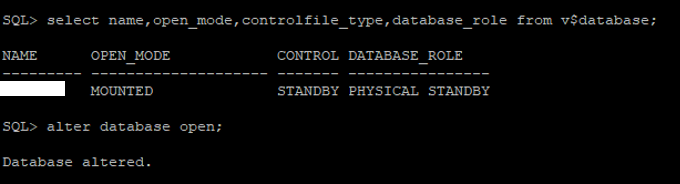
Database is running as Physical Standby and now we are going to open the database as below snap
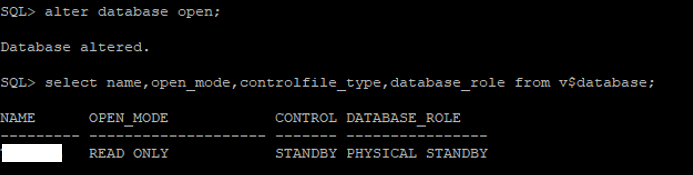
Once Database is opened, The open_mode is changed to Read only as expected.
Now start the Recovery process using below command
SQL>alter database recover managed standby disconnect from session;
Then check the DB is running with READ ONLY WITH APPLY as below snap
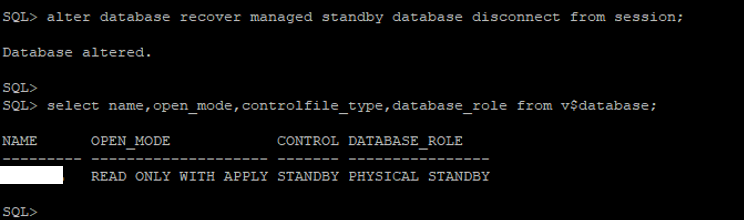
Now the Database is running as an Active Data Guard. This is done……………Enjoy and stay connected……..
Caution: It is provided for educational purposes only. It has been tested internally, however, we do not guarantee that it will work for you. Ensure that you run it in your test environment before using.
Thank you,
A. Rawat
Email: 88arawat@gmail.com