We are changing DB name only(NON-CDB), nothing else. Lets start this practice.
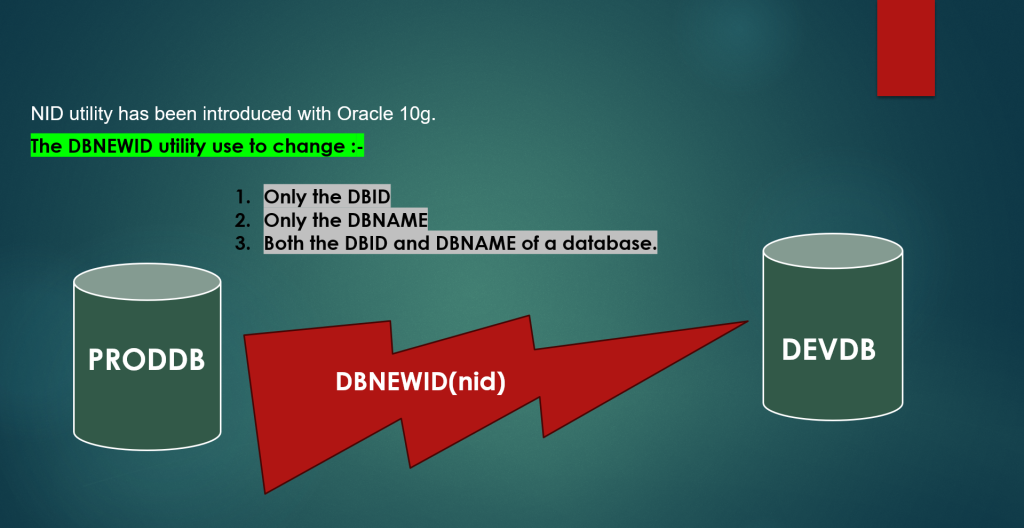
Step-1 Take the full backup of the Database which we are going to rename. This is called gold backup of the database.
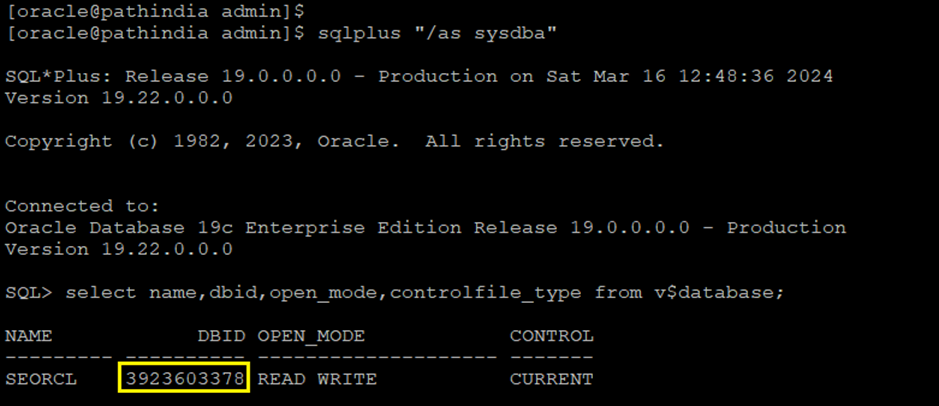
Step-2 First, We checks the DBID of the existing database as below snap.
Note:- DBID is 3923603378 and DB Name is SEORCL in my case.
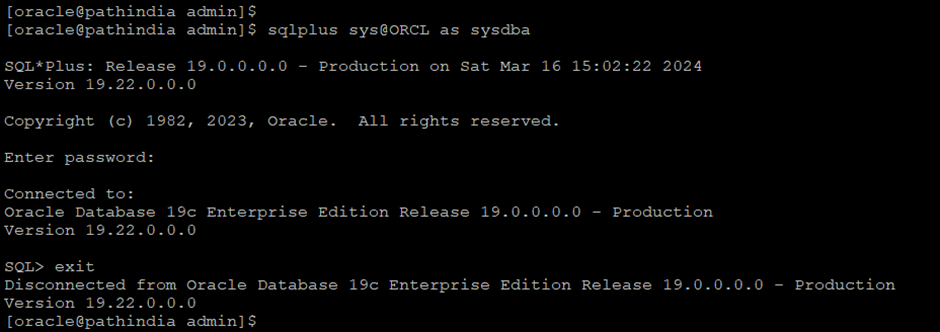
Step-3 Check password is working to connect the Database.
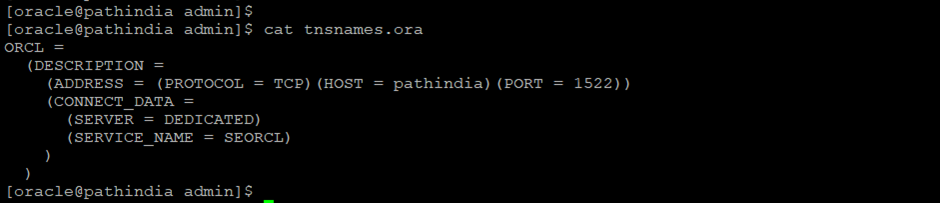
Note:- Create pfile from spfile for sfer side.
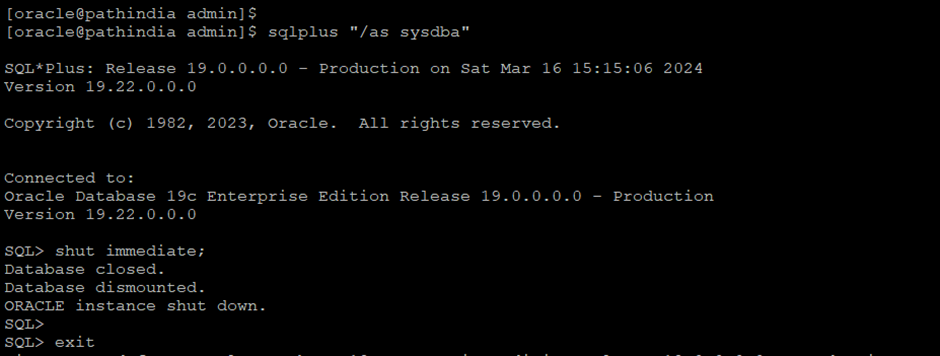
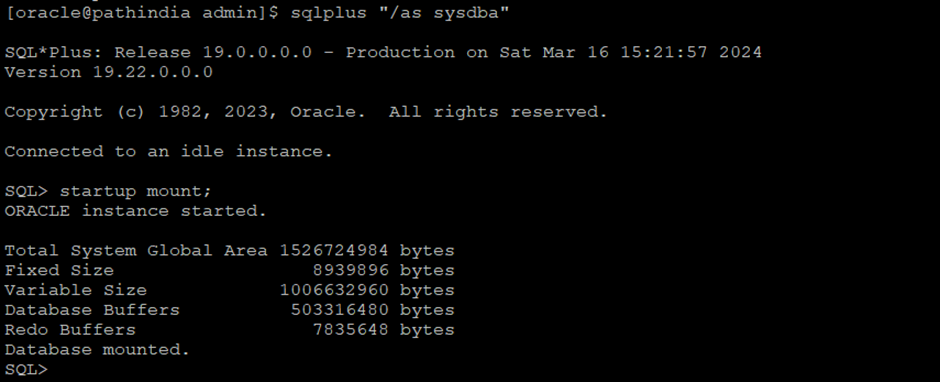
Step-4 Now first, shut down the database and start the database in mount state
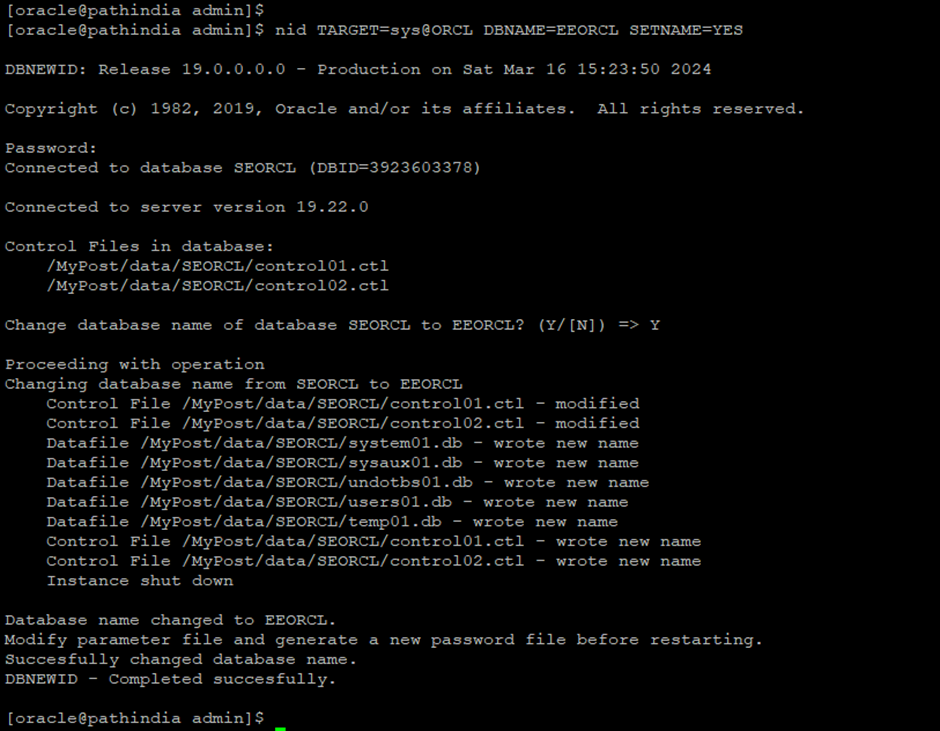
Step-5 initiate/execute the command to change the database name only.
nid TARGET=sys@ORCL DBNAME=EEORCL SETNAME=YES
SETNAME is the parameter use to rename the DB only, But what if not using this parameter:--> This will change the DB Name and DBID both so be aware of this command.
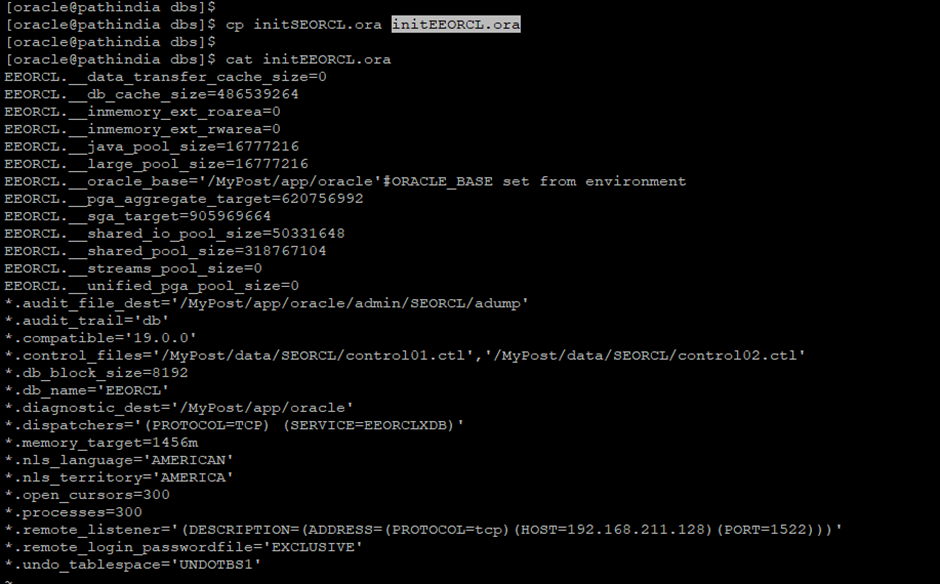
Step-6 Rename the initialization parameter file and Manually change the DB_NAME in parameter file as below snapshot
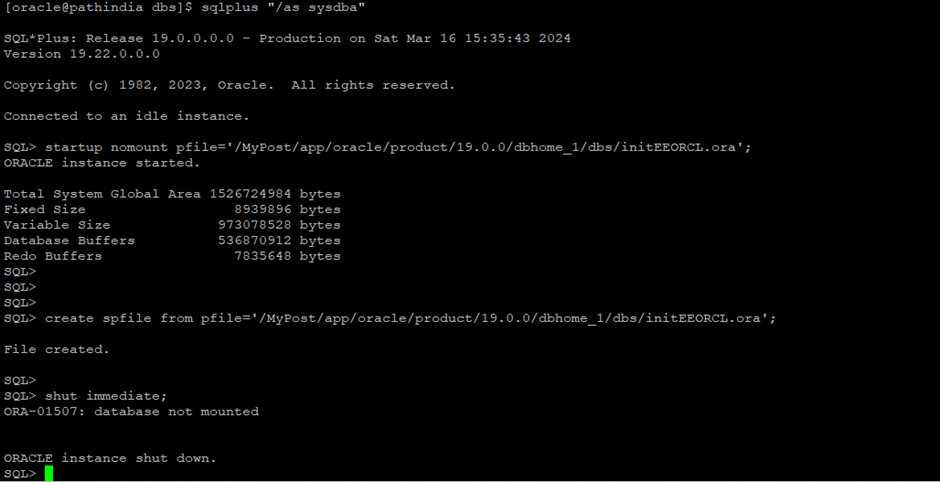
Step-7 Shutdown the database and Start database in nomount state with changed init parameterfile and create spfile using this parameterfile.
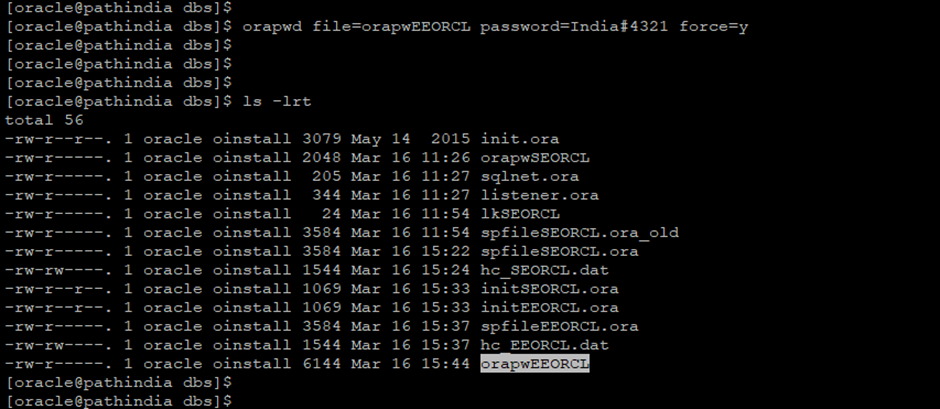
Step-8 Create a new password file with the orapwd utility.
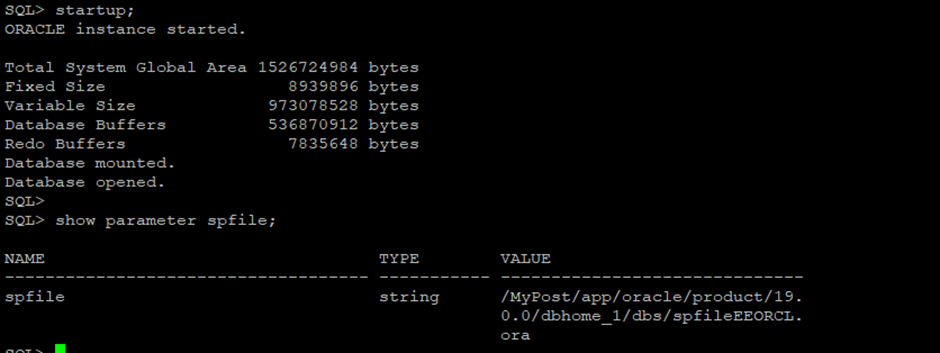
Step-9 Start the Database normally (It will start with new spfile)
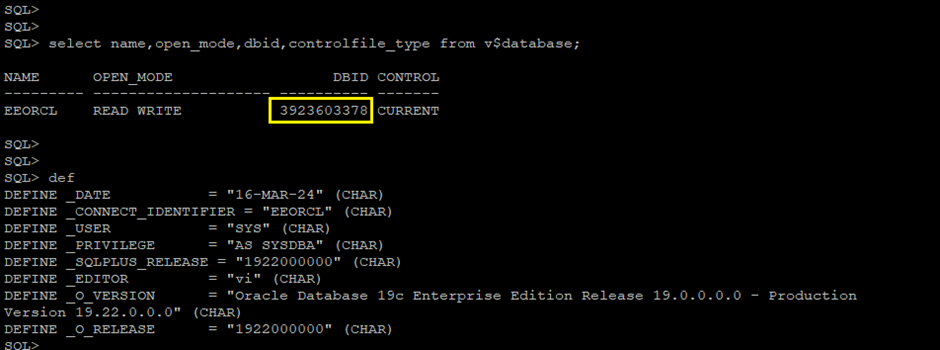
At this step:- Check the DBID and DB Name again, DB Name changed.
This activity completed successfully. Thank you and Enjoy......stay connected.
Caution: It is provided for educational purposes only. It has been tested internally, however, we do not guarantee that it will work for you. Ensure that you run it in your test environment before using.
Thank you,
A. Rawat
Email: 88arawat@gmail.com