Note:-We are using Oracle DB as source and Target both.

Step-1 To enable Oracle GoldenGate, set the following database initialization parameter.
ENABLE_GOLDENGATE_REPLICATION=true (on CDB level)
Step-2 Oracle GoldenGate relies on the redo logs to capture the data that it needs to replicate source transactions.
The Oracle redo logs on the source system must be configured properly before you start Oracle GoldenGate processing.
ALTER DATABASE FORCE LOGGING; (on CDB level)
ALTER DATABASE ADD SUPPLEMENTAL LOG DATA; (on CDB level)

Step-3 Make sure you have setup the database for GoldenGate, if not then follow the below steps before creating the user on CDB level.
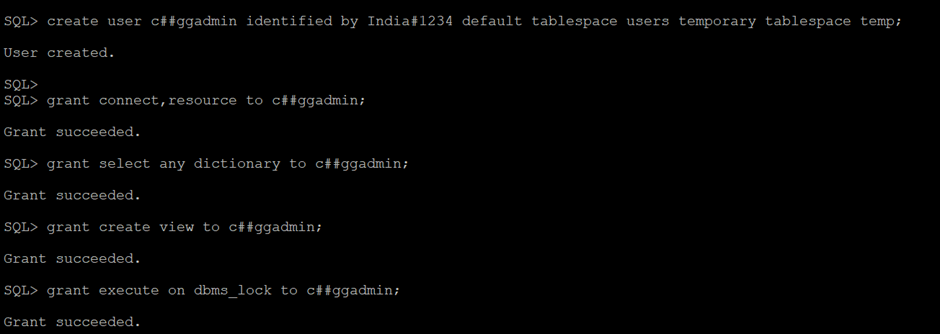
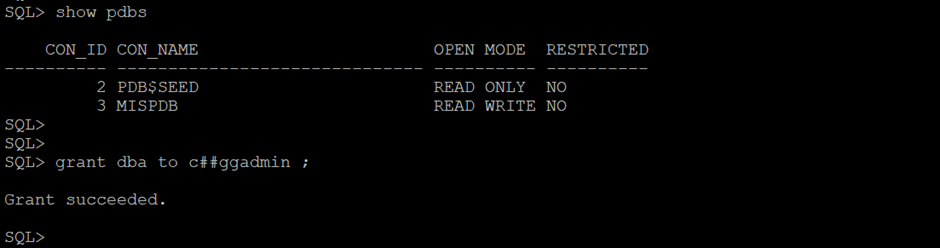



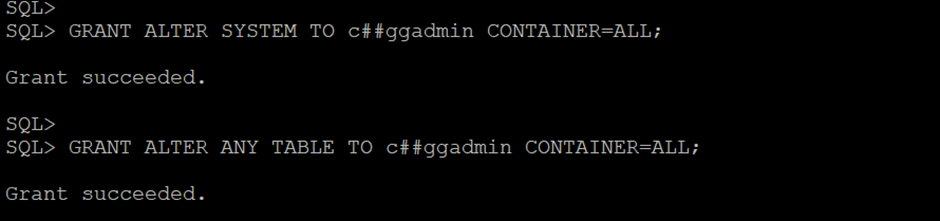
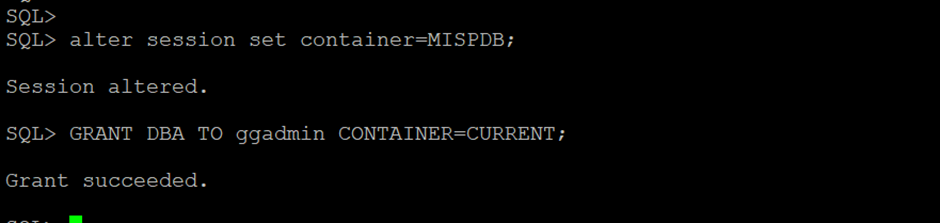
Step-4 Grant admin privilege to common user and pdb as well.

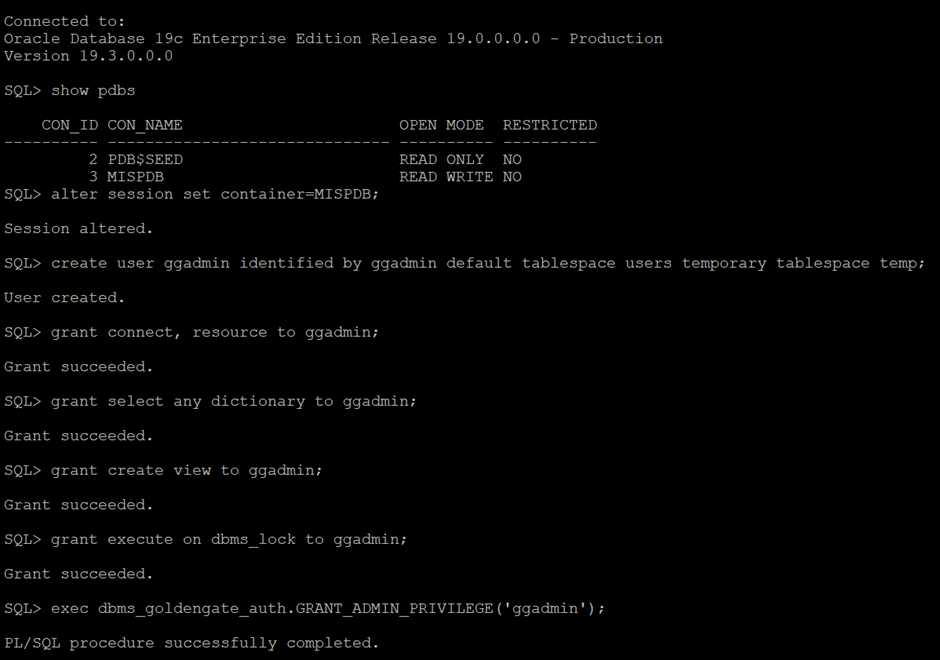
Step-5 Create a user for subset of PDB’s Database as below–
Step-6 Now create connection on OGG console for the Source CDB and PDB both databases.
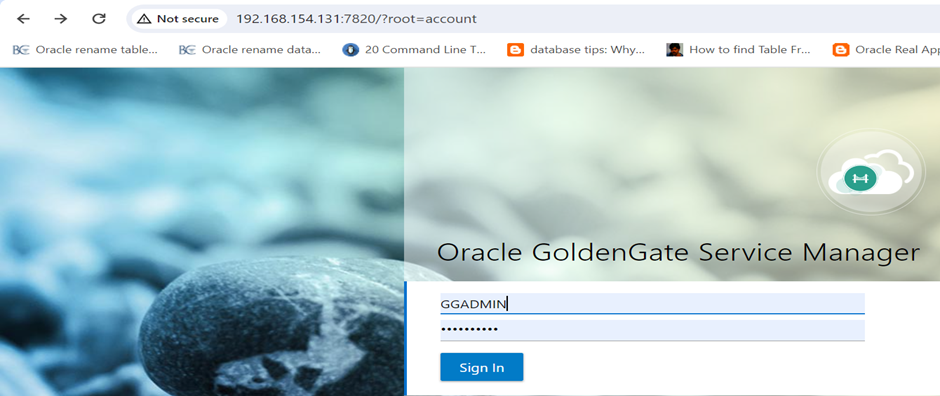
Login to the Service Manager
http://192.168.154.131:7820 in my case
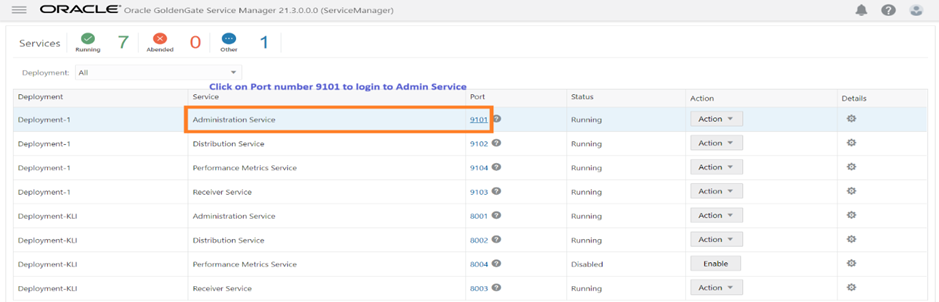
Once logged in, Click on port number related to Administration service
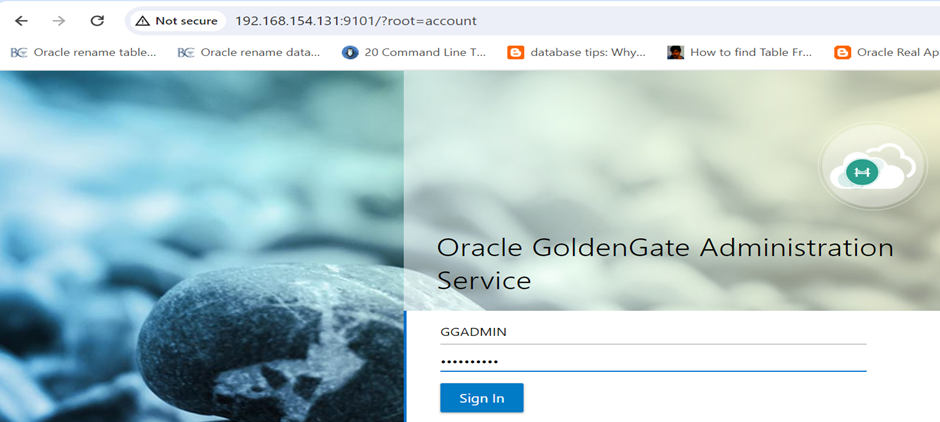
Step-7 Now, on the next screen, Login to the Administration service page
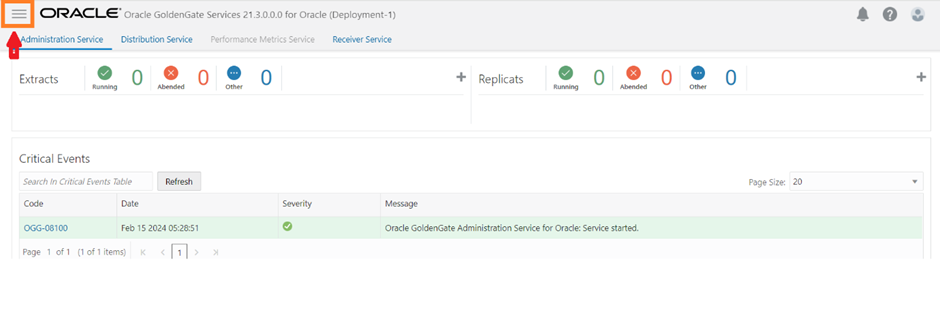
Once logged in to Admin, Click on Menu (marked in Red coloured arrow)
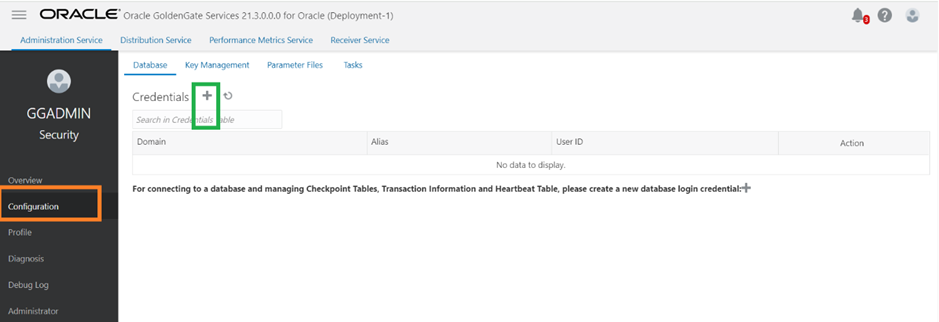
Under the Menu --> Configuration --> click on + button
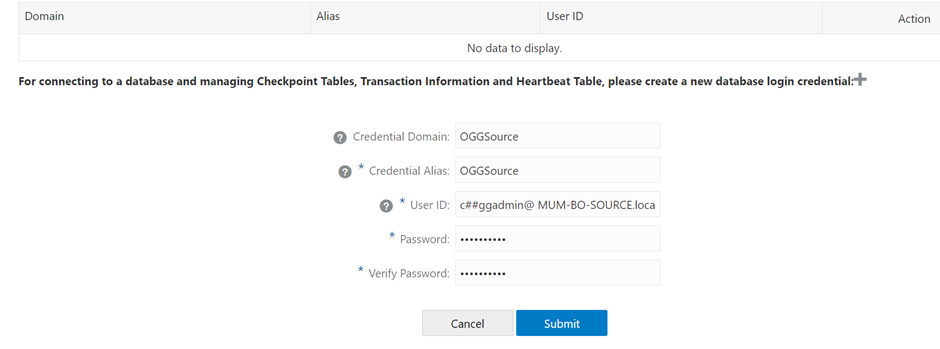
Step-8 Create connection for Source CDB Database (SOURCE in my case) and PDB database as well as shown in below snap
Note: - CDB is used to capture (Extract) from the source database and PDB for delivery (Replicat).
We are using the EZconnect syntax to configure the database connection. Here's the syntax sername@hostname:port/service_name
Here's an example for setting the User ID with EZConnect: c##ggadmin@ MUM-BO-SOURCE.localdomain:1521/source
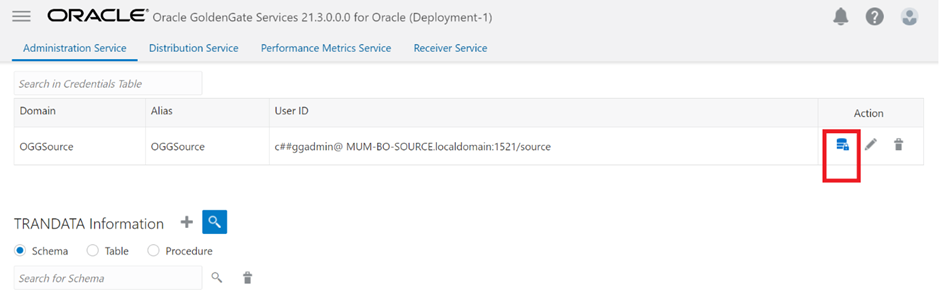
Once submitted, Click on Connection icon under Action (marked as red colour in below snap)
Note:- The icon turns blue when the connection is successful.
Step-9 Now, create connection for PDB database using same user as well as shown in below snap
Here's an example for setting the User ID with EZConnect: c##ggadmin@MUM-BO-SOURCE.localdomain:1521/MISPDB
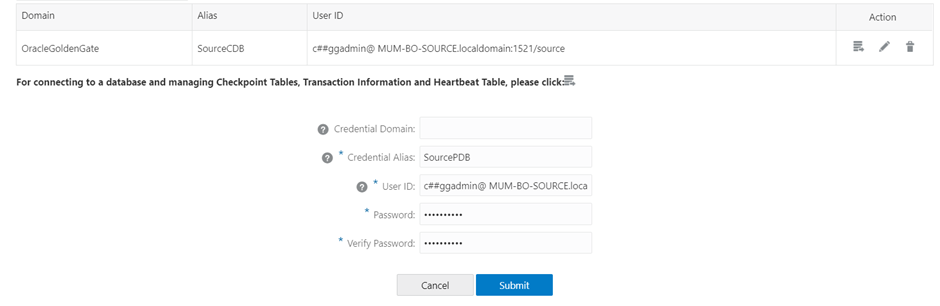
Click on submit button as shown in above screen and see the status as below
Note:- The icon turns blue when the connection is successful.
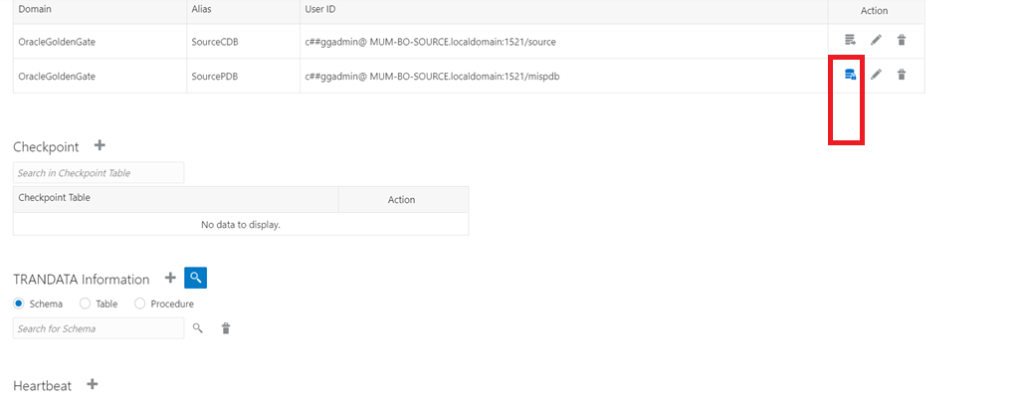
Step-10 Now Please add TRANDATA for source PDB database.
Within same PDB database, add TRANDATA for the source database to enable writing information to the redo logs
ADD TRANDATA to enable Oracle GoldenGate to acquire the transaction information that it needs from the transaction records.
ADD TRANDATA is valid only for the databases that are listed here:
DB2 LUWDB2 z/OSOracleSQL ServerPostgreSQLDB2 for i
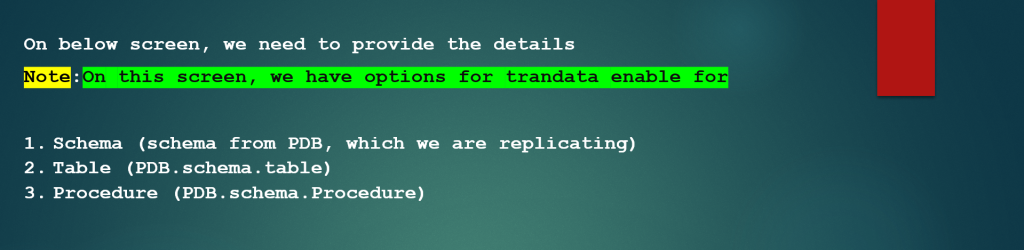
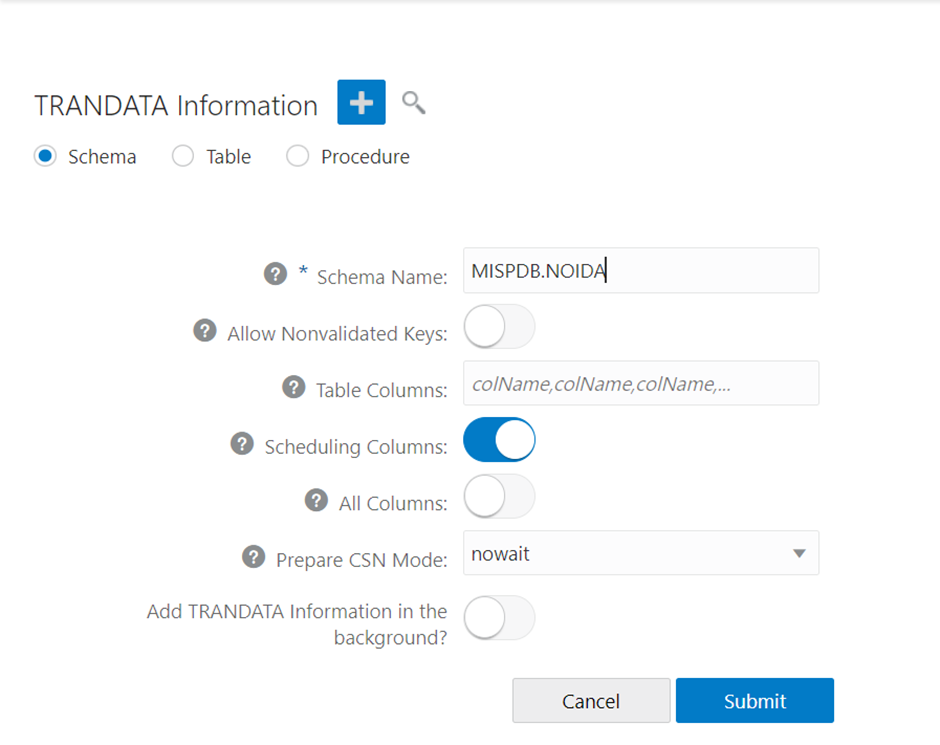
Once submitted, Refresh the page and search the trandata info

Check the details, login to source Database
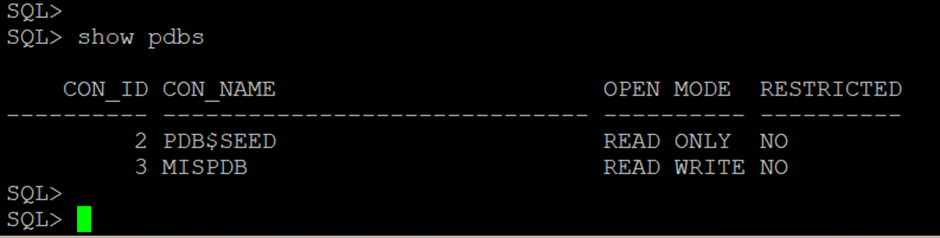
Source database has been successfully configured for OGG replication.…………..Enjoy and stay connected.
NEXT–>Now, Configure the Target Database for OGG replication.
Caution: It is provided for educational purposes only. It has been tested internally, however, we do not guarantee that it will work for you. Ensure that you run it in your test environment before using.
Thank you,
A. Rawat
Email: 88arawat@gmail.com