
Unified audit introduced in Oracle Database 12cR1, where auditing functionality changed and increased. Now, various audit trails have been unified into one audit trail and format, along with one unified audit policy simplifying its implementation.
Unified audit further enables you to audit selectively by adding various conditions including application context values and simple built-in functions. This helps you to reduce the volume of your audit data, and at the same time helping you detect malicious activities in a timely manner.
Unified audit provides high degree of integrity of audit trail by not allowing users to tamper with the audit trail.
Unified audit trail is stored in AUDSYS schema and no one is allowed to login to that schema in the database.
AUD$UNIFIED is a specialized table which allows only INSERT activity. Any attempt to directly truncate, delete or update contents of the AUD$UNIFIED table fail, and generate audit records.
Audit data is managed using the built-in audit data management DBMS_AUDIT_MGMT package in the database.
The audit tablespace can be encrypted with Transparent Data Encryption (TDE). The unified audit table can also be protected with a Database Vault.
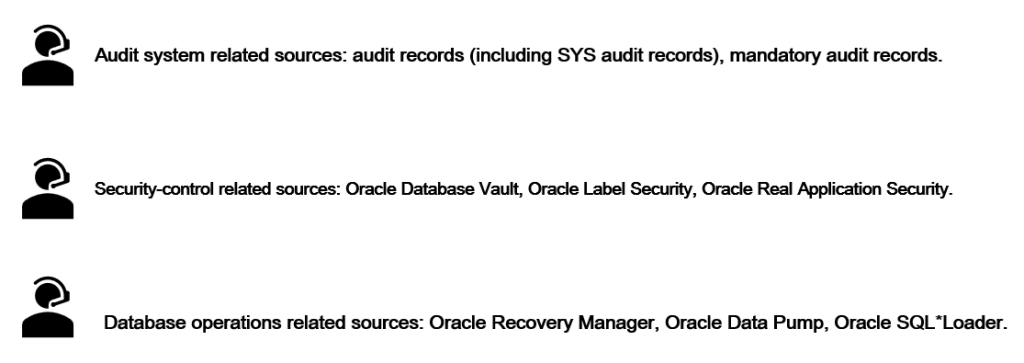
Unified audit combines all database component audit trails into a single unified audit trail. Audit records are generated by a variety of audit sources including: -
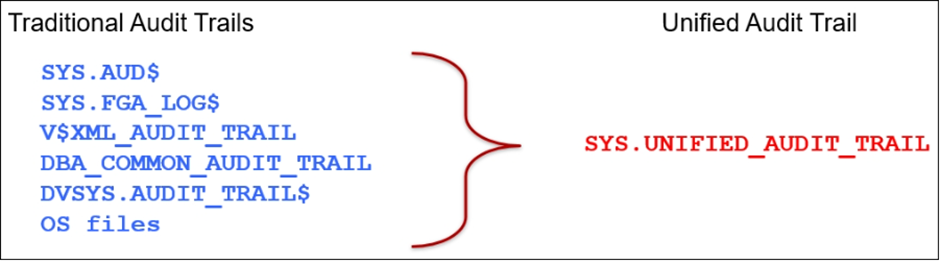
With unified audit, audit records from all audit sources are written to a consolidated audit trail–AUDSYS.AUD$UNIFIED table or OS files, and exposed through the UNIFIED_AUDIT_TRAIL view.
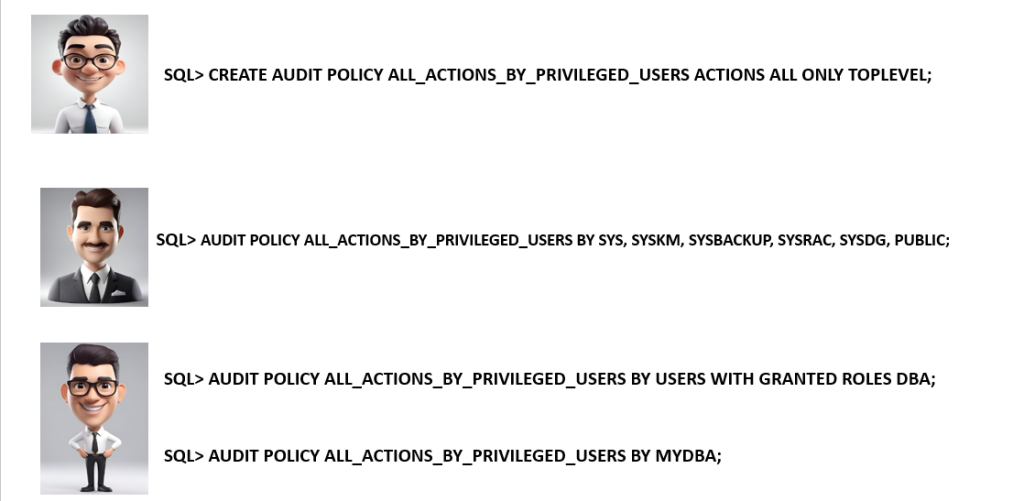
If you are not using Data Safe or AVDF and want to create equivalent audit policies, create an audit policy such as the one shown below:
How we can do Audit trail management?
It is important to properly manage audit trail on your databases to ensure efficient performance and optimum use of the disk space.
As audit trails on your databases grow in volume, querying the audit trail with large volume of audit data may impact performance and lead to space scalability issues. It is best to archive the old records and then purge them from the online audit trail periodically.
Because database audit trails are typically stored in the SYSAUX tablespace, they can potentially fill it up and could start affecting other database operations that rely on the SYSAUX tablespace. In the eventuality of SYSAUX tablespace becoming full, audit record write will spillover to OS audit files and post a message to ALERT LOG so that corrective action can be initiated. If the OS file system space also becomes full, all database operations will start to fail.
NEXT–> Changing the default tablespace for Unified Auditing.
Caution: It is provided for educational purposes only. It has been tested internally, however, we do not guarantee that it will work for you. Ensure that you run it in your test environment before using.
Thank you,
A. Rawat
Email: 88arawat@gmail.com